Health to AIYour health data, at your AI every day.
Health to AI sends your Apple Health and Fitness data to your AI bot once a day, automatically: Grok Bot, Claude Routines, OpenClaw, ChatGPT through n8n, Zapier or Make, or a webhook of your own. Add an instruction and your bot knows what to do with it. Everything runs on your iPhone. There is no account and no Neltacore server, so we never see your data.
- Privacy
- No account, no server, no tracking
- Works with
- Grok, Claude, OpenClaw, ChatGPT, any webhook
- Price
- Free to use, Basic $2.99, Premium from $4.99 a year with a 7-day free trial
- Status
- In beta, App Store soon
Set it up once. Your bot gets your data every day.
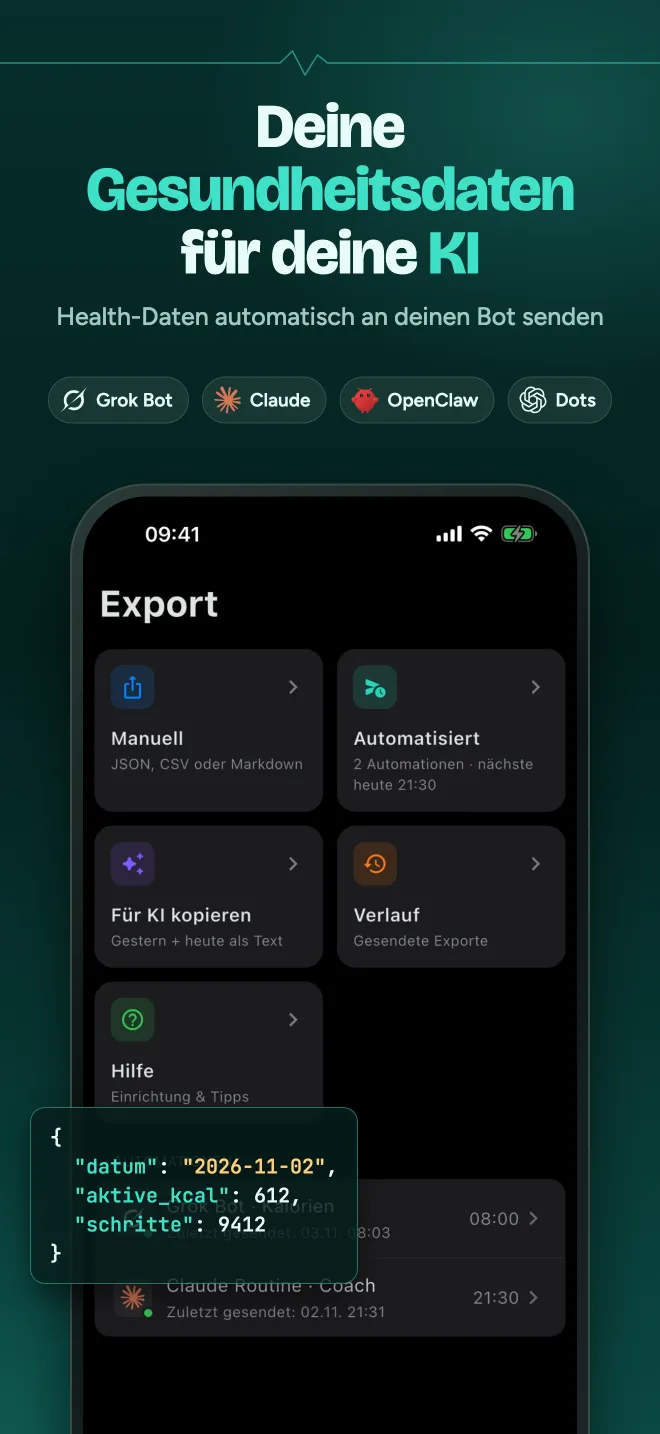
Daily automation, file export or copy for AI. 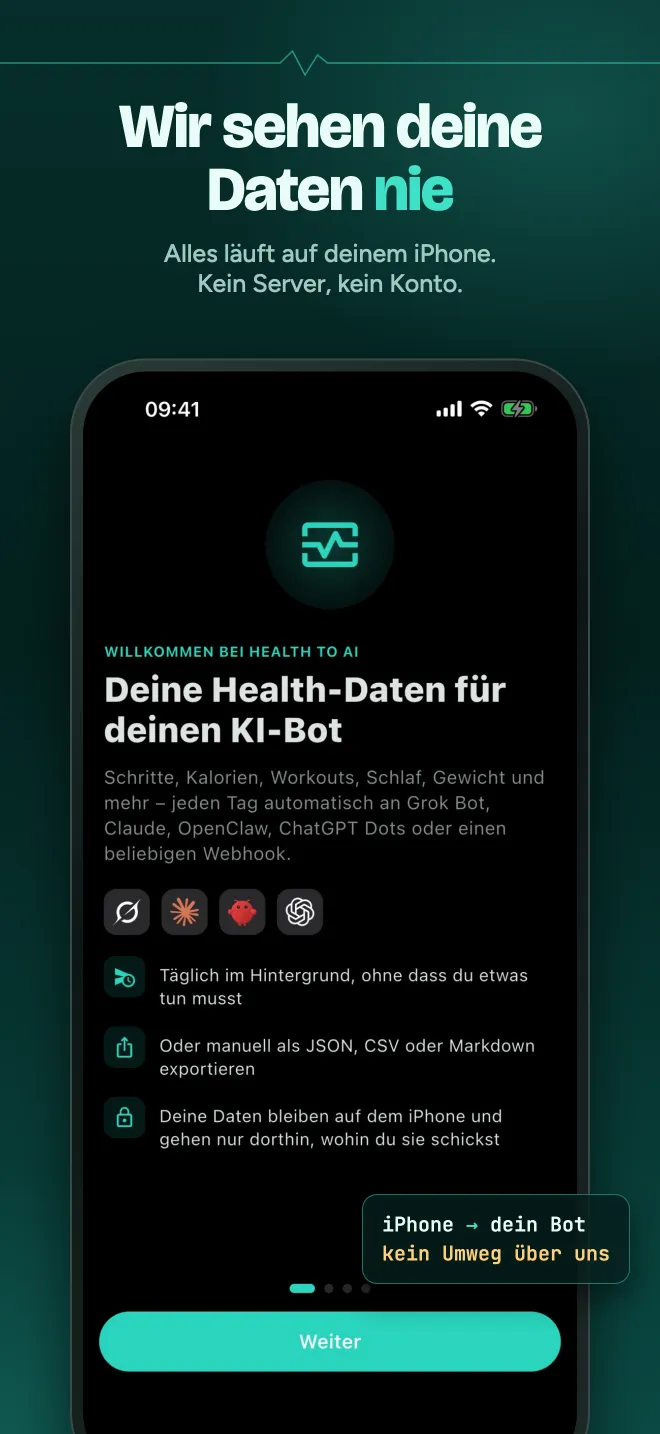
From your iPhone straight to your bot. 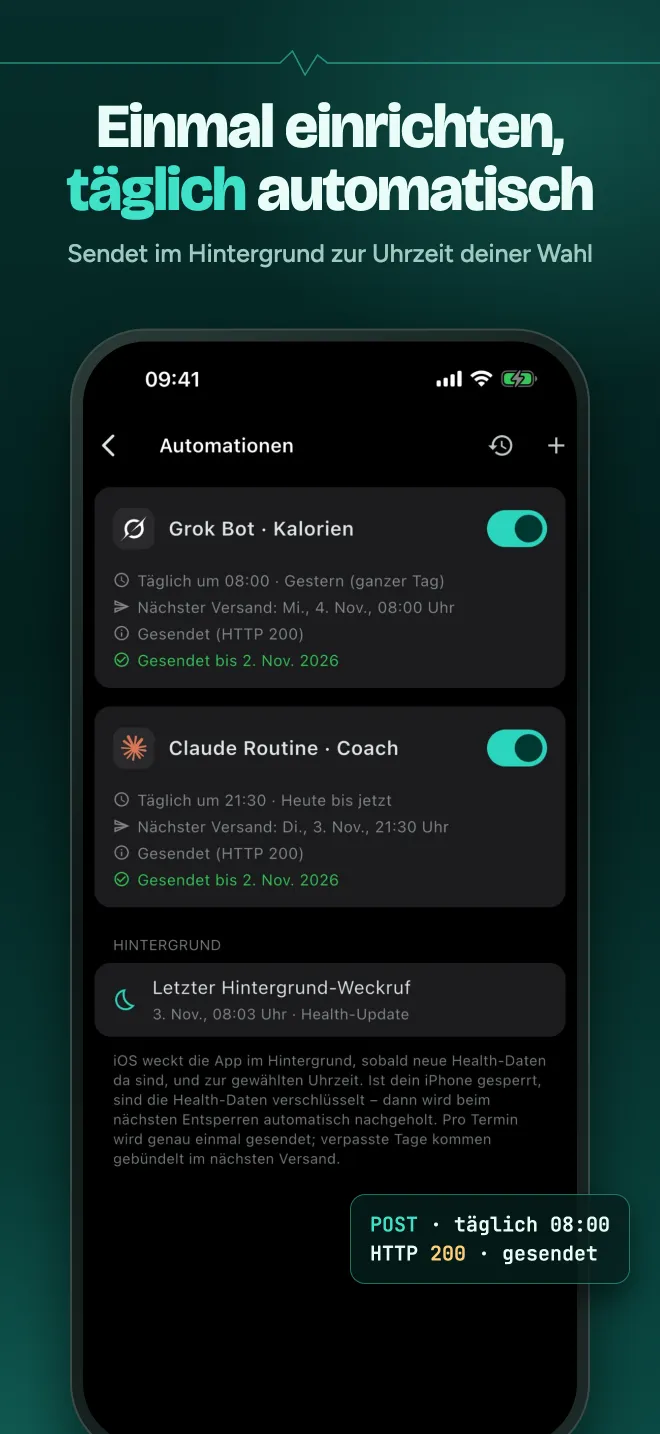
Sent at the time you choose, with a log of every send. 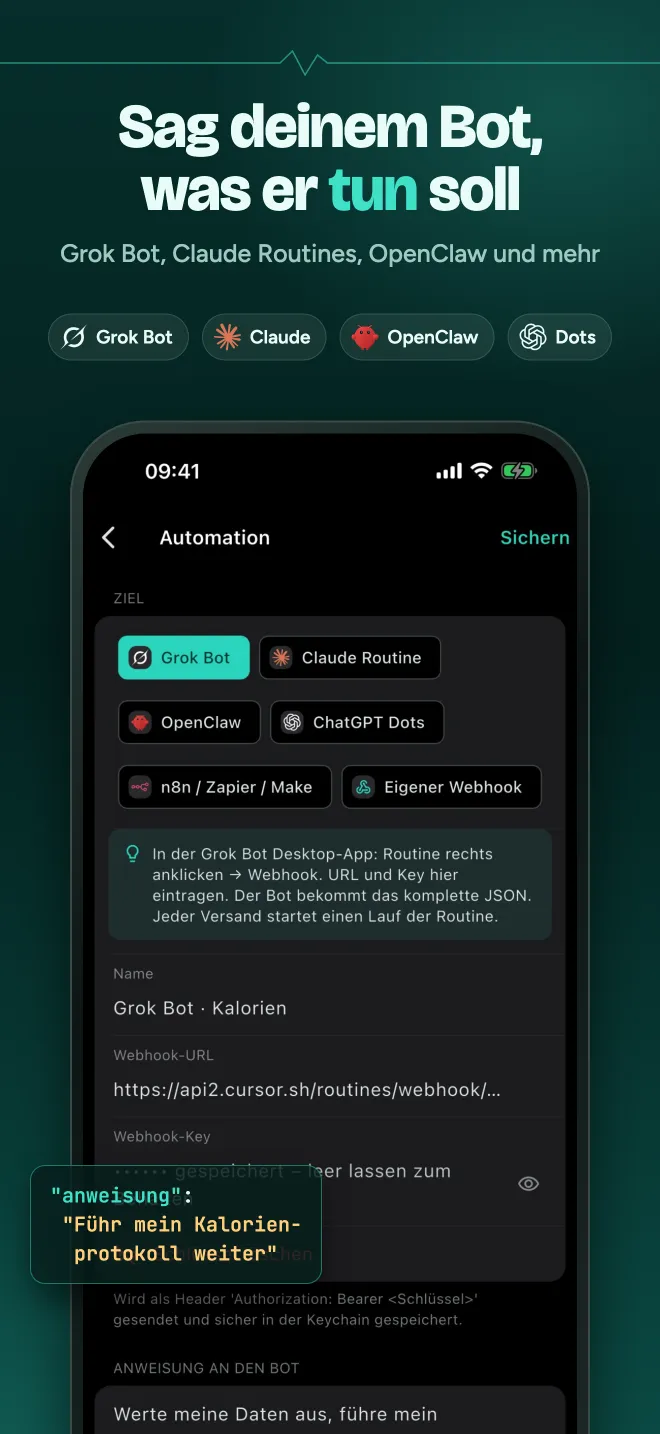
Pick your bot and tell it what to do.
The screenshots show the German version of the app.
We never see your data. Everything runs on your iPhone.
Health to AI reads your Health data on your iPhone and sends it straight to the webhook you enter. Nothing passes through Neltacore on the way, because there is nothing of ours in between.
No account
No sign-up and no login. Install the app, allow Health access and start.
No Neltacore server
We run no server for the app. Your data goes from your iPhone directly to your bot, over HTTPS only.
No analytics, no tracking
No analytics, crash reporting, advertising or tracking tools. Your health data is never sold or used for ads.
Keys in the Keychain
Webhook URLs and keys are stored in the iOS Keychain. You decide which Health categories the app may read.
Works with your bot. Grok, Claude, OpenClaw, ChatGPT or your own webhook.
Grok Bot
In the Grok Bot desktop app, right-click a routine and choose Webhook. Paste the URL and key into Health to AI, and the routine receives the full JSON.
Claude Routines
Add an API trigger to your routine. The app sends your data as text and starts the routine.
OpenClaw
Your data reaches your OpenClaw agent through /hooks/agent, as a message.
ChatGPT through n8n, Zapier or Make
ChatGPT Dots has no direct webhook input, so your data takes a short path through an n8n, Zapier or Make workflow.
Any REST webhook
Your own server gets a JSON POST with values per day (“tage”), a readable summary (“zusammenfassung”) and a “versand_id” to spot duplicates.
An instruction with every send
Tell your bot what to do, for example “Keep my calorie log and tell me what’s left for today.” The instruction travels with the data.
Manual export
Export any time range as JSON, CSV or Markdown through the share sheet.
Copy for AI
One tap copies a Markdown summary of your values that you can paste into any AI chat.
Ready in a few minutes. Three steps, then it runs by itself.
Allow Health access
Choose which Apple Health categories the app may read.
Add your bot
Pick Grok Bot, Claude, OpenClaw, ChatGPT or your own webhook, choose a time and add an instruction.
Get it every day
Your data goes out once a day in the background. Missed days are caught up on their own.
What gets sent. Only what you allow.
The app reads only the categories you allow in the iOS Health prompt, and it never writes to Apple Health.
Activity
Steps, active and resting energy, exercise and stand minutes, stand hours, distances, flights climbed, activity rings.
Heart and breathing
Heart rate average, minimum and maximum, resting and walking heart rate, heart rate variability, VO2 max, respiratory rate, blood oxygen.
Body
Wrist temperature, weight, body fat, lean mass, BMI.
Nutrition
Calories, protein, carbohydrates, fat, water.
Sleep and mindfulness
Sleep stages and mindful minutes.
Workouts
Every workout with its type, duration, calories, distance and heart rate.
Free to start. Pay once, or try Premium free for 7 days.
Free
$0
for good
Overview, charts for 7, 30 and 90 days, and your workouts. Free forever.
Basic
$2.99
one-time
Manual export as JSON, CSV or Markdown through the share sheet.
Premium
$4.99
a year, or $12.99 one-time
Daily automations to your bot, Copy for AI, and everything in Basic. Yearly starts with a 7-day free trial; Lifetime is a single payment.
Prices in US dollars. The App Store shows the price for your country, which may differ. Premium Yearly renews automatically every year unless you cancel at least 24 hours before the end of the trial or the current period in your Apple ID settings.
Honest limits. What to expect before you buy.
Sent once your iPhone is unlocked
iOS encrypts Health data while your iPhone is locked and decides when apps may run in the background. So the daily send happens at or after the time you choose, once your iPhone has been unlocked.
Missed days are caught up
If a day was missed, it goes out with the next send. Missed days are bundled into one send, so your bot gets at most one request a day. That matters, because each request can start a paid bot run.
Your bot, its own rules
Once your data reaches your bot, the privacy terms of that service apply. Health to AI only sends to the addresses you enter.
No medical advice
Health to AI exports and shows your data. It does not give diagnoses or medical advice.
Coming soon to the App Store.Hear first when it launches.
Health to AI is in beta testing and will be submitted to the App Store soon. Write to us and we will tell you when it is available.